

Download Twitter/X Videos Easily
Saw a great video on Twitter (X) and want to keep it? Just copy the tweet link, paste it here, and download. Works on any device – phone, tablet, or computer. No signup, no downloads, just the video you want.
How to Download Twitter Videos
Takes about 10 seconds:
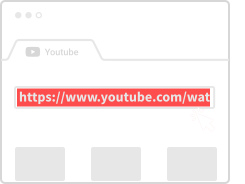
Copy the Tweet Link
Tap "Share" on the tweet and copy the link. Or just grab the URL from your browser.
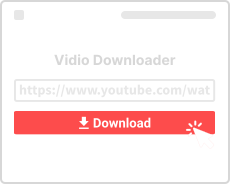
Paste Here
Drop the link in the box above and click Download.
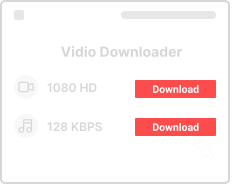
Save the Video
Pick your preferred quality (usually HD is available) and save to your device.
Why Use This Twitter Downloader
Here's what you're getting:

Simple to Use
Paste link, click download. That's really all there is to it.

Any Device
Works on Android, iPhone, Windows, Mac – anything with a browser.

HD Quality
Get the best available quality – usually 720p or 1080p when the original supports it.

Fast Downloads
No waiting around. Videos are ready almost instantly.

No Signup
We don't ask for your email, password, or any personal info.

Browser Based
No app to install. Just use it directly in your web browser.
Twitter Download Questions
- Is this free?
- Yes, 100% free. No hidden charges, no premium tiers.
- Is it safe?
- Yes. We use HTTPS, don't store your downloads, and don't track what you're saving.
- What devices work?
- Any device with a web browser – Android, iPhone, iPad, Windows, Mac, Linux, you name it.
- Can I choose quality?
- Yes. When available, you can pick between SD and HD quality.
- Is there a download limit?
- No. Download as many videos as you want.
More Video Downloaders
Download from other platforms with our free tools:
About Twitter/X Video Downloads
Twitter (now rebranded as X) is a major platform for news, entertainment, and viral content. From breaking news clips and sports highlights to memes and political commentary, Twitter video content is constantly in motion. Our Twitter Video Downloader helps you capture and save these moments before they get lost in the timeline.
What Can You Download?
Our tool supports all types of Twitter video content including regular video tweets, GIFs (saved as video files), video replies and quote tweets, and Spaces recordings when shared as videos. The video must be from a public account for our tool to access it – private or protected tweets are not accessible.
Why Download Twitter Videos?
Twitter's timeline moves fast. Important videos can get buried within hours, and accounts sometimes delete content or get suspended. By downloading videos you find valuable, you ensure permanent access regardless of what happens on the platform. This is especially useful for news clips, educational content, or simply videos that made you laugh.
Quality and Format Options
Twitter videos are typically available in multiple quality levels. When you paste a link, we'll show you all available options – usually ranging from 360p to 720p or higher, depending on the original upload. Videos are downloaded in MP4 format, which plays on virtually every device and media player.
Mobile Download Tips
To download on mobile, tap the share button on any tweet with a video and select "Copy Link." Then paste that link into our download box. On iOS, you may need to allow the download in your browser settings. Android users will find downloads in their Downloads folder or gallery.